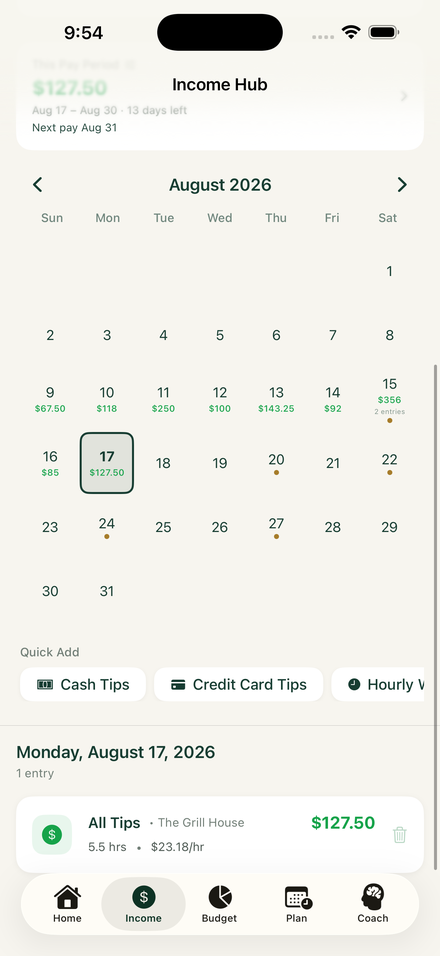
Log what you earned.
Add tips, wages, and tipouts after your shift. Include the cash your bank account never sees.
YOUR REAL TAKE-HOMEFOR THE PEOPLE WHO KEEP THINGS RUNNING
You work hard for your money.
Know what you made, what’s coming due, and what’s left for you.
Free today. No card needed. Bank connection optional.

Tonight’s shift, accounted for.
Cash tips. Card tips. Tipouts. All together.FROM CLOCKING OUT TO WHAT’S NEXT
You shouldn’t need a spreadsheet and a quiet afternoon to understand your money.
Add tips, wages, and tipouts after your shift. Include the cash your bank account never sees.
YOUR REAL TAKE-HOMEBring your income and upcoming bills into the same picture. Know what you’re working toward.
YOUR NEXT PRIORITYCheck your spending guidance and savings goals before making your next money decision.
YOUR MONEY, WITH A PLANONE APP. THE WHOLE PICTURE.
TendLife brings shift tracking and everyday money planning together, so your earnings have somewhere to go.
A clearer record of what you actually made.

Your bills belong in the same picture as your tips.

Start manually. Connect a bank when you want to.

MEET MONEY COACH
Ask the question you actually have. Money Coach uses your TendLife budget to help you understand your income, bills, and spending.
Your numbers give the conversation context. Update your income and bills to keep that context useful.
Guidance depends on the information in your account.
BUILT WITH HOSPITALITY IN MIND
A slow Tuesday. A Saturday double. Cash in your apron and card tips arriving later. TendLife starts with how you actually get paid.
We’re building it with feedback from the people working those shifts. Tell us what’s helping—and what still makes your money harder to manage.
Talk to the teamAaron Burns · Nadeen Burns · Colin Lukasik · William Henry
START WITH A LITTLE CLARITY
Get to know TendLife with every feature available now. No card required.
Everything you need to start making sense of your shifts.
Planned Premium subscription: $6 a month, with a 7-day free trial.
TendLife is built around servers, bartenders, and other tipped workers whose earnings change from shift to shift. You can track multiple sources of income in the app.
No. You can start with manual income entry. If you choose bank sync, the current TendLife service uses Quiltt for read-only account connections. See our privacy policy for details.
Yes. Record cash tips, card tips, wages, and tipouts to keep a fuller picture of your earnings—even when money doesn’t arrive in your bank account after every shift.
It’s spending guidance based on the income and bills recorded in your TendLife account. Keep those details current and account for expenses you haven’t entered. It’s an estimate, not a guarantee of available funds.
Every feature is free today, including bank sync. Premium is planned later at $6/month with a 7-day free trial. Tip tracking, income totals, bills, goals, and Money Coach are intended to stay free. Check the pricing page for the latest details.
TendLife is available for iPhone on the App Store. There’s no waitlist to start.
YOU’VE EARNED SOME PEACE OF MIND.
Free today. Built for the way you earn.